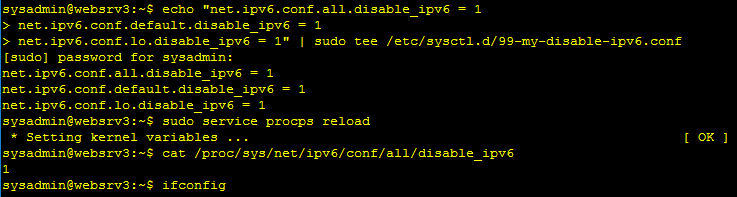
If you want IPv6 disabled permanently on an Ubuntu 16.04 system, here's a good way to do it. Disabling it like this should keep it disabled permanently, even after performing updates that could potentially enable it again without you knowing it. I haven't tested it, so I'm not 100% certain, but if you decide to upgrade Ubuntu to 16.10 or the most recent version, it should still have ipv6 disabled after upgrading. Now let's get to it! Simply enter the following commands in your console:
sudo echo "net.ipv6.conf.all.disable_ipv6 = 1
net.ipv6.conf.default.disable_ipv6 = 1
net.ipv6.conf.lo.disable_ipv6 = 1" | sudo tee /etc/sysctl.d/99-my-disable-ipv6.conf
sudo service procps reload
ifconfigThe ifconfig should not show any ipv6 address. A reboot is not required, but it won't hurt either.